




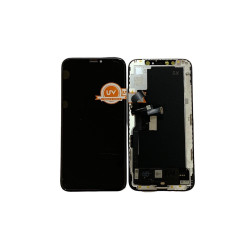
Short answer: choose a replacement screen by your phone's exact model number (for example, X6726), not only by its marketing name. Then check whether your phone is the 4G or 5G version, decide whether you need a complete screen assembly or only the touch layer, and compare the part number printed on your old screen if it has one. If anything is unclear, contact us before ordering.
Step 1: Find your phone's exact model number
- Android: open Settings › About phone and look for "Model" or "Model number". On some brands it sits in a sub-menu such as "All specs". The exact menu depends on the brand and software version.
- iPhone: open Settings › General › About. "Model Name" shows the marketing name; tapping "Model Number" shows a code that starts with "A".
- If the phone won't switch on: look at the original box label, or at a label on the phone itself (on some models it is under the battery or near the SIM tray).
Copy the code exactly, including every letter and number. Codes that differ by a single character can belong to different phones.
Step 2: Check whether your phone is the 4G or 5G version
One marketing name can cover several different phones. For example, Infinix's official India pages list the HOT 60i 5G as model X6730 and the HOT 60 5G as model X6726: similar names, different model numbers. Some phone names are also sold in separate 4G and 5G versions.
Treat 4G and 5G versions as different phones unless a part is clearly listed for your exact model number.
Step 3: Complete screen assembly or touch layer only?
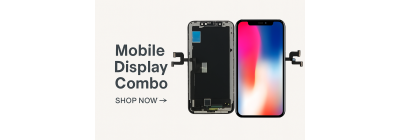
- A display combo (also called a "folder") is the display panel and touch layer supplied as one assembly. It is the usual choice when the screen shows lines, black patches or no picture, or when touch does not respond.
- A touch screen digitizer (touch glass) is only the outer touch layer. Replacing it on its own needs specialist equipment, and it only helps when the display underneath works normally.
Step 4: Compare the part number on the flex
Many screen assemblies have a code printed on the flex or on a label on the back. If your old screen has one, write it down and compare it with the replacement before fitting. Also compare the connector shape and the length of the cable. Not every part has a printed code. If you are unsure, contact us with your model number before ordering.
About "Original" and "OEM"
- "Original" usually means made by or for the phone brand; "aftermarket" means made by a third party.
- These words only mean something when there is evidence, such as brand service packaging or a verifiable part number. A product title or a photo on its own is not proof.
- Where a listing does not state a verified grade, don't assume one.
Before you order: checklist
- I have my exact model number, and I know whether my phone is the 4G or 5G version.
- The listing names the same model number.
- I need a complete screen assembly, not only the touch layer.
- I have compared the part number and connector on my old screen, if I can.
- I have read the Return Policy, Shipping Policy and Warranty pages, or contacted us if unsure.
Installation
Professional installation is recommended, because screens and their cables are easily damaged. Keep the protective film on until you have checked that the new screen works, use an anti-static (ESD) strap, and don't bend the cable sharply.
Frequently asked questions
Can I use the marketing name instead of the model number?
It is safer to use the model number, because one marketing name can cover several phones.
Will a 4G screen fit the 5G version of the same phone?
Not necessarily. Treat them as different phones unless the part is listed for your exact model number.
Where is the part number on a screen?
Often on the flex or on a label on the back of the assembly. Not every part has one.
Do I need a technician?
Professional installation is recommended.
Related guide: How to Find the Right Battery Model Code for Your Phone.